
Before tuning images in a robot inspection cell, find the light the cell does not control: daylight through windows, overhead lamps and light from nearby work areas. Decide how the cell will block or overpower that light, then set up the inspection lighting. Otherwise a lighting setup that works at one time of day can behave differently at another.
A moving light inside an enclosed cell
At 00:04 in the video, a part sits in a fixture inside an enclosed inspection cell built from aluminium profile and clear panels, with a window visible behind the cell. At 00:19, a lit spot appears on the part as the robot moves its end device. These views show that the cell carries its own local light and that its surroundings include a window.
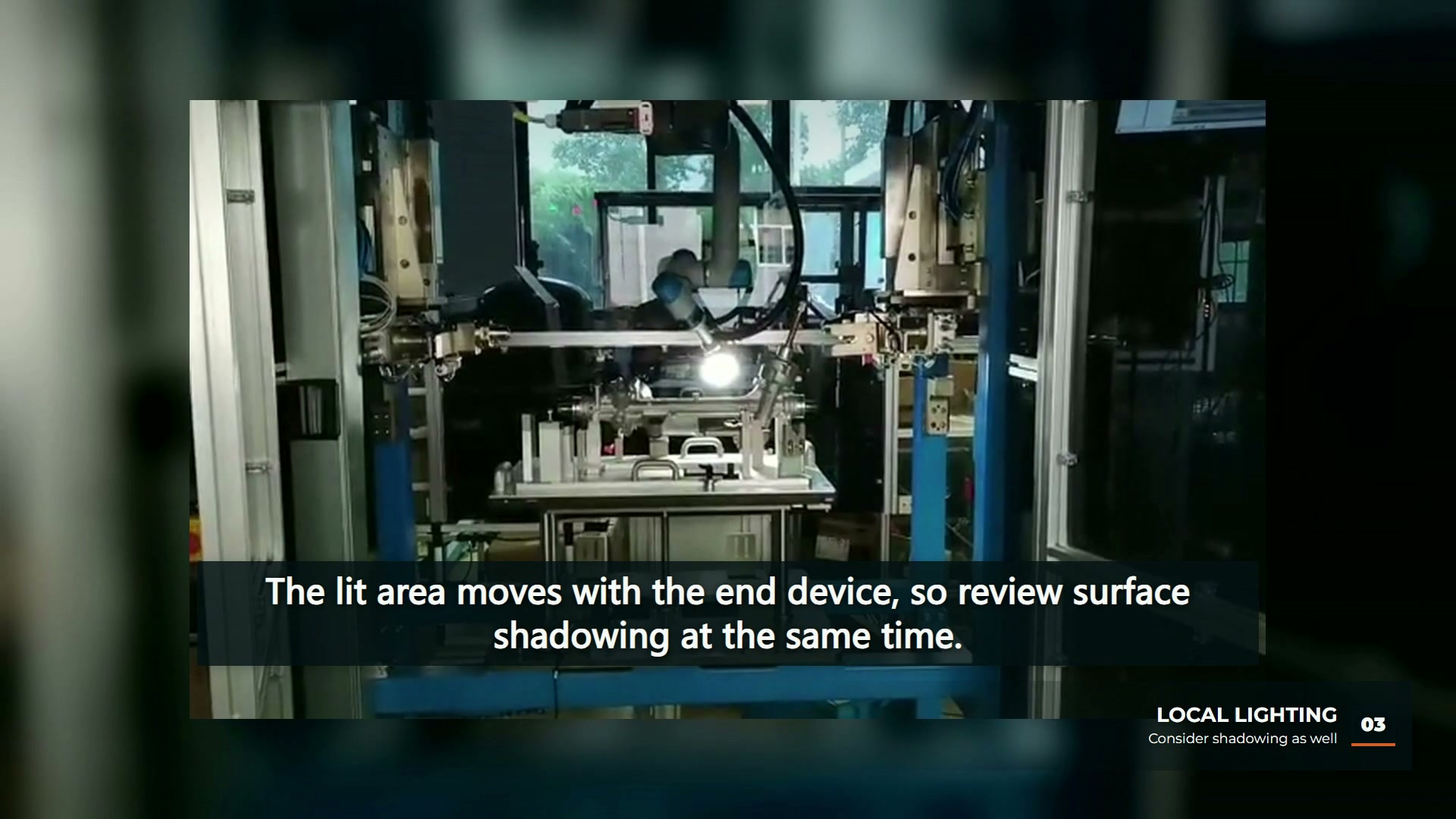
The footage does not show the camera settings, how much outside light reaches the part or any inspection result. It is used here to make the ambient-light question concrete, not to assess the filmed cell.
List the ambient sources first
Advanced Illumination’s practical guide to machine vision lighting names overhead factory lights and sunlight as the most common ambient contributors, and adds errant task lighting and even vision lighting from adjacent work cells. It gives three practical methods for dealing with ambient light: high-power strobing with short pulses, physical enclosures and pass filters.
A short survey keeps that concrete for a proposed cell:
| Ambient source | What to record | Options to discuss |
|---|---|---|
| Windows and skylights | Direction, times of day when sunlight reaches the cell | Solid panels or shrouding on that side |
| Overhead lamps | Position relative to the part, lamp type | Enclosure roof, shroud, or lighting that overpowers it |
| Adjacent cells and task lights | Which sources are close and when they switch on | Screening or filtering |
| Clear or bright guarding | Panels that can reflect light toward the part | Panel material and position, or a different light angle |
These are suggested survey fields, not measurements from the filmed cell.
Enclosures and shrouds set how stable the image can be
KEYENCE’s machine vision lighting selection guide notes that many lighting inspections take place in closed-off areas to prevent ambient lighting from introducing variation, and that glare, especially on highly reflective surfaces, can be reduced with diffuse lighting or angle adjustments. Quality Magazine’s article on glare describes shrouding as a way to stop ambient light, and changes in it through the day, from affecting the captured image, and mentions sunlight through a window and overhead fluorescent lights as typical sources.
With a robot-carried light the enclosure question has an extra layer, because the light and camera move. A shroud attached to the tool and panels attached to the cell block different sources at different positions. Record which source each measure is meant to block, and plan image tests at the times of day when the ambient contribution changes.
Where this fits with viewpoint planning
Choosing the views an inspection needs is covered in our robot inspection viewpoint planning article. Ambient light control comes before those views: a viewpoint that only works while the window side is dark is not yet a dependable viewpoint.
EVST’s editorial view is that an ambient-light survey belongs in the inspection brief, next to the part drawing and the defect definitions. The video shows a moving light in an enclosed cell; inspection accuracy and defect detection still need image tests and inspection records.